
How Thick Of Wood Can Cricut Maker Cut: Complete Guide
You can cut wood up to 2.4 mm thick with your Cricut Maker 3 or 4, thanks to the Knife Blade designed for thicker materials. Balsa and basswood work best; they provide different strengths and details. Make certain your wood is flat, single-piece, and secured on a StrongGrip Mat to avoid shifting.
Designs should stay within size limits, and multiple passes may be necessary. For complex or thicker projects, other machines might be better suited. Keep exploring to master your wood-cutting craft.
What Thicknesses of Wood Can the Cricut Maker Cut Reliably?

The Cricut Maker series can reliably cut wood up to specific thicknesses depending on the model you use. The Maker 3 and Maker 4 handle wood up to 2.4 mm thick, while the Explore 3 and Explore 4 are limited to 2.0 mm.
The Cricut Maker 3 and 4 cut wood up to 2.4 mm, while Explore models handle up to 2.0 mm.
To cut balsa wood, which commonly comes in 1/16” thickness, you’ll need the Knife Blade. This blade requires proper calibration for precise cuts, especially when working with intricate designs.
Secure your wood firmly to a StrongGrip cutting mat, keeping at least ¼” away from the edges to prevent shifting or damage.
Remember, while the Cricut Maker excels at cutting thin wood, overly complex shapes can reduce accuracy and wear the blade faster.
Best Wood Types for Cricut Maker Cutting Projects
You’ll want to choose wood types like balsa and basswood, keeping thicknesses at 1/32″ or 1/16″ for the best cutting results.
It’s important to use high-quality, flat wood without any warps or blemishes because those imperfections can really mess up your cut.
Also, don’t forget to consider the grain direction—it affects not only how cleanly the Cricut Maker cuts but also the final look of your project.
Recommended Wood Varieties
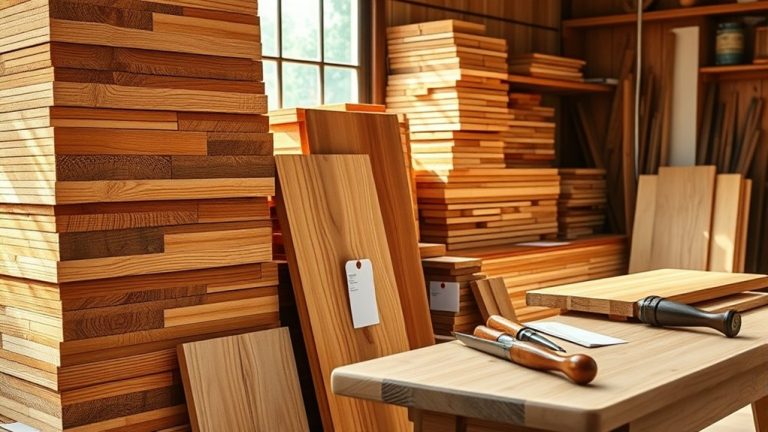
Choosing the right wood variety greatly impacts the success of your Cricut Maker cutting projects. For best results, consider balsa wood and basswood, both compatible with the Cricut Maker.
Balsa wood’s softness and brittleness make it perfect for light, simple crafts, while basswood’s denser grain suits detailed, durable designs.
When working with thicker materials like basswood, use the Knife Blade. It’s engineered specifically for cutting through wood effectively.
Plus, Cricut’s wood veneer line offers a high-quality alternative tailored for precision cuts.
Just avoid composite or glued wood pieces, as they can cause uneven cuts and dull your blade prematurely.
Ideal Thickness Options
Cutting wood with your Cricut Maker requires careful attention to thickness limits to guarantee clean, precise results. The Cricut Maker 3 and Maker 4 can handle wood up to 2.4 mm thick, while the Explore models max out at 2.0 mm.
For the best cutting wood choices, balsa wood stands out due to its lightweight nature and availability in thin sheets like 1/32″ and 3/32″.
Basswood offers a bit more durability, typically in 1/32″ and 1/16″ thicknesses, making it ideal for projects needing sturdiness without exceeding thickness limits.
Furthermore, Cricut’s new wood veneer line is tailored for cutting, giving you quality finishes within the permissible thickness range.
Always select single-piece woods to guarantee consistent cuts and avoid composite materials that can hinder precision.
Wood Quality Considerations
Wood quality plays an essential role in achieving clean, precise cuts with your Cricut Maker. For the best results, choose single pieces of wood like balsa or basswood in 1/32″ or 1/16″ thicknesses. These materials are ideal for detailed cutting projects.
Avoid composite wood because glued layers can cause uneven cuts and damage your blade. Pay close attention to grain direction. Cutting along the grain usually gives smoother edges and reduces splintering.
Also, inspect wood carefully for knots and warps. These irregularities interfere with blade movement and compromise cut quality.
Wood veneer is another excellent option designed specifically for precision cutting.
How to Prepare Wood for Cutting With the Cricut Maker
Start by confirming that your material’s thickness matches your Cricut Maker model’s capabilities. Maker 3 and 4 handle up to 2.4 mm, while Explore 3 and Air 2 max out at 2.0 mm.
Select high-quality wood, avoiding warped or composite pieces. This helps protect your blade and guarantees clean cuts.
Choose premium, warp-free wood to safeguard your blade and achieve flawless, clean cuts every time.
Use a StrongGrip Mat, making sure the wood is at least 11 inches wide for proper roller clearance.
Clean the wood surface thoroughly, removing stickers or debris. Position the wood carefully on the mat, then use a brayer to press it down firmly for strong adhesion.
Secure all four edges with tape to prevent shifting during cutting, which could compromise precision.
Proper preparation of wood thickness, mat choice, and securing methods ensures superior results with your Cricut Maker. Taking these steps really makes a difference!
Cricut Maker Blade and Settings for Wood Cutting

Although the Cricut Maker offers various blades, the Knife Blade is your best choice for handling thicker materials like balsa and basswood. This blade is specifically designed for cutting thicker materials and can handle up to 2.4 mm on the Cricut Maker 3 and 4.
Before you start, calibrating the Knife Blade is essential to guarantee precise and clean cuts. You’ll want to use a StrongGrip Mat to secure your wood firmly and prevent any movement during cutting.
For balsa wood, set the pressure around 200, but basswood requires a higher pressure near 750. Intricate designs often need additional passes to cut completely without stressing the blade.
Always keep an eye on the process to maintain quality and protect your Cricut Maker’s components.
Cricut Maker Wood Cutting Size and Design Limits
When you’re designing for wood cutting on your Cricut Maker, it’s best to keep your project within 10.5” by 23.5”. This helps ensure everything runs smoothly without any hiccups.
Try to avoid cutting shapes smaller than 0.75” or anything narrower than a pencil’s diameter. Those tiny cuts can be tricky and mightn’t turn out as clean as you want.
Also, make sure to leave at least a ¼” margin from the edges of your wood. It gives the machine enough space to work without damaging the material.
If your design is really detailed or complex, especially at smaller sizes, it might struggle a bit.
Maximum Design Dimensions
You can cut wood designs up to 10.5” by 11.5” on a standard Cricut mat, or extend your workspace to 10.5” by 23.5” using a larger mat. When planning your project, keep the maximum design size in mind to avoid cutting errors.
If you want to cut thicker materials like basswood with my Cricut machine, remember the cutting limitations. The maximum thickness is 2.4 mm for Cricut Maker 3 and 4, and 2.0 mm for the Explore series.
Minimum cut sizes should be at least 0.75” by 0.75”, and avoid intricate details narrower than a pencil’s diameter.
Also, maintain a ¼” margin from edges to prevent splitting or miscuts. Properly sizing your design guarantees smooth cuts and helps preserve material integrity when cutting basswood or similar woods.
Minimum Cut Requirements
Keeping your designs within the maximum dimensions is important, but paying attention to minimum cut requirements guarantees your wood projects come out clean and intact.
When using the Cricut Maker to cut wood, the minimum cut size is 0.75” x 0.75”. This confirms interior cuts aren’t too small, preserving structural integrity.
Avoid widths narrower than a pencil’s diameter to prevent breakage, especially with intricate cuts. Moreover, maintain at least a ¼” distance from the wood’s edges to protect the blade and guarantee accuracy.
The Cricut Maker handles maximum thicknesses up to 2.4 mm, which is ideal for balsa and basswood materials at specified thicknesses.
Following these minimum size and spacing guidelines helps you achieve precise, durable woodcuts every time.
Design Complexity Limits
How complex can your wood design be before the Cricut Maker struggles to cut it accurately? Design complexity directly impacts cutting accuracy, especially with smaller cut dimensions or intricate interior cuts.
Thicker materials often need multiple passes, which can increase cutting time and risk cutting inaccuracies. To guarantee clean cuts, maintain a minimum interior cut width of a pencil’s diameter and keep designs within the 10.5” x 11.5” maximum size. Also, avoid placing cuts closer than ¼” to the wood’s edges.
| Aspect | Recommendation | Impact on Cutting |
|---|---|---|
| Max Design Size | 10.5” x 11.5” | Prevents incomplete cuts |
| Minimum Cut Size | 0.75” x 0.75” | Maintains detail without errors |
| Interior Cuts | ≥ pencil diameter | Avoids blade damage |
| Thicker Materials | Multiple passes needed | Longer cuts, possible inaccuracies |
Common Challenges Cutting Thick Wood and How to Avoid Them
Steering through the challenges of cutting thick wood with a Cricut Maker requires a clear understanding of the machine’s capabilities and limitations.
When cutting several layers or thicker materials, using the Knife Blade is essential but demands calibration and patience due to longer cut times and multiple passes.
To guarantee complete cuts, secure your wood firmly on the mat with tape on all edges to prevent shifting.
Intricate designs on thicker wood often cause inaccuracies, so simpler designs are recommended for ideal results.
Always monitor the cutting process closely, checking depths around the halfway point, as corners tend to be the last areas to cut through fully.
When to Try Other Machines for Thicker Wood Projects

Although the Cricut Maker excels at cutting thin wood up to 2.4 mm thick, you’ll need to evaluate other machines when your project demands thicker materials or intricate details. The Cricut’s knife blade is designed for simpler cuts in thinner woods, so pushing beyond its cutting limitations often leads to incomplete or unsatisfactory results.
If you frequently cut wood thicker than 2.4 mm or require precision on complex designs, laser cutters like xTool or Creality Falcon2 provide superior efficiency and accuracy. These machines handle a broader range of thicknesses and intricate patterns that the Cricut can’t manage.
To avoid frustration, always assess whether your project’s material thickness and detail level exceed Cricut’s capabilities before proceeding. That way, you’ll choose the right tool to cut wood effectively and get professional results.
How to Check Cuts and Finish Wood Projects With Cricut Maker
Begin by closely inspecting your cuts midway through the process to guarantee the blade is effectively slicing through the wood. Use a weeding tool to gently lift corners and check cuts’ depth, especially at the design’s edges where cuts take longer.
If cuts aren’t complete, make additional passes in Design Space to deepen the cut. Once finished, carefully remove tape securing the wood to the mat to avoid breakage.
Finally, inspect cut edges for roughness or incomplete separation and use a craft knife for precise touch-ups.
| Step | Action |
|---|---|
| Midway Inspection | Check blade cutting effectiveness |
| Test Cut Depth | Use a weeding tool gently |
| Additional Passes | Use Design Space if needed |
| Finishing Touch-ups | Remove tape and clean edges |
Frequently Asked Questions
Can Cricut Maker Cut Wood With Embedded Metal or Nails?
You can’t cut wood with embedded metal or nails using your Cricut Maker safely. Doing so risks damaging your blade and reduces cutting depth effectiveness.
Always check wood types for embedded objects before selecting your blade and setting material thickness.
If you’re working on projects with tricky materials, consider alternative cutting methods instead. It’s better to be safe and protect your machine.
Also, avoid composite or contaminated wood to keep your Cricut’s precision and longevity intact.
Taking these precautions helps your machine last longer and perform better.
How Long Does It Take to Cut Wood With Cricut Maker?
Coincidentally, cutting speed varies drastically depending on your wood types and blade selection.
When you choose balsa wood with thinner material thickness, your Cricut Maker completes project examples faster than with hardwoods.
Design considerations like intricate details slow the process, requiring multiple passes for clean cuts.
Expect cutting times from a few minutes up to 30 minutes or more.
Always monitor progress to optimize your results effectively.
It’s a good idea to keep an eye on the machine so you can adjust settings if needed.
This way, you get the best outcome without wasting time or material.
Is It Safe to Cut Wood Indoors With Cricut Maker?
Yes, you can safely cut wood indoors with your Cricut Maker as long as you manage ventilation properly to disperse wood dust and fumes.
Always wear safety gear like a mask and safety glasses to protect yourself from debris.
Keep your workspace clean and clutter-free to make cutting easier and more efficient.
The Cricut Maker runs quietly, which is nice, but try to be mindful of others around you.
Can Cricut Maker Cut Painted or Stained Wood?
Cutting painted or stained wood with your Cricut Maker is like sculpting a masterpiece from a textured canvas. You can handle wood thickness up to 2.4 mm, but choosing the right blade is key.
Opt for the Knife Blade for cleaner, deeper cuts.
Master cutting techniques by making multiple passes and testing on scraps. This precision lets you transform painted wood into stunning project ideas without dulling your blade too fast.
It’s all about patience and practice to get the best results.
What Maintenance Is Needed After Cutting Wood With Cricut Maker?
After cutting wood with your Cricut Maker, focus on blade care by cleaning off wood debris to keep it sharp and effective.
Inspect your cutting mats for wear and replace them if needed to confirm proper grip.
Store your Knife Blade safely with its protective cap to prevent damage. Always use safety equipment during cleanup, and clear your workspace thoroughly.
Regularly maintaining your tools and mats guarantees precise cuts and prolongs your machine’s lifespan. It’s a simple step that really pays off in the long run.
Conclusion
Cutting wood with your Cricut Maker is like carving a path through a dense forest. You need the right tools, settings, and patience to navigate it smoothly. While it handles thin wood up to 2.4mm beautifully, thicker materials demand caution or different machines.
By choosing the best wood, preparing it well, and fine-tuning your blade and settings, you’ll create precise, clean cuts. This will bring your projects to life with expert craftsmanship every time. Just take your time and experiment a bit to get the best results.